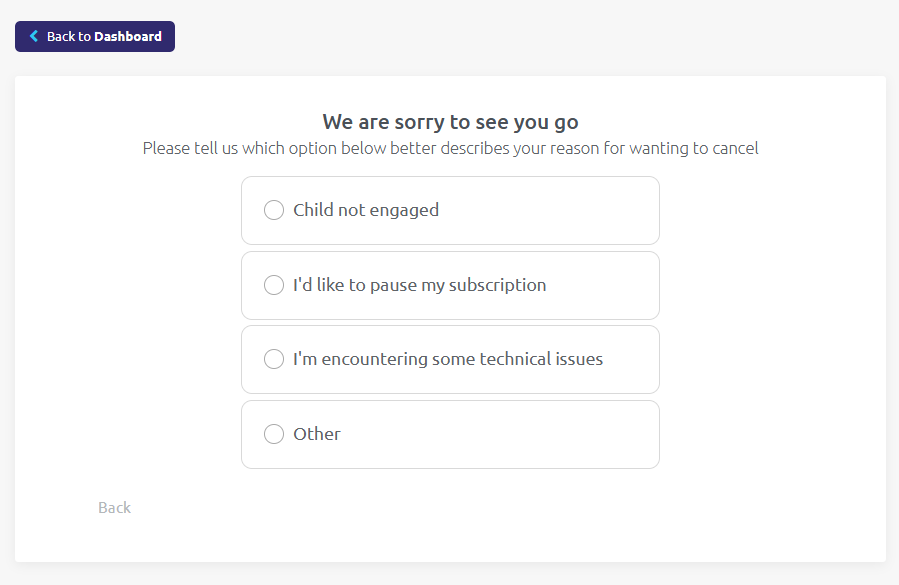

You can easily cancel your subscription by logging into your Dashboard and clicking on the Subscription Details tab.
Note: This option is not available via a cell phone or via the app on your tablet.
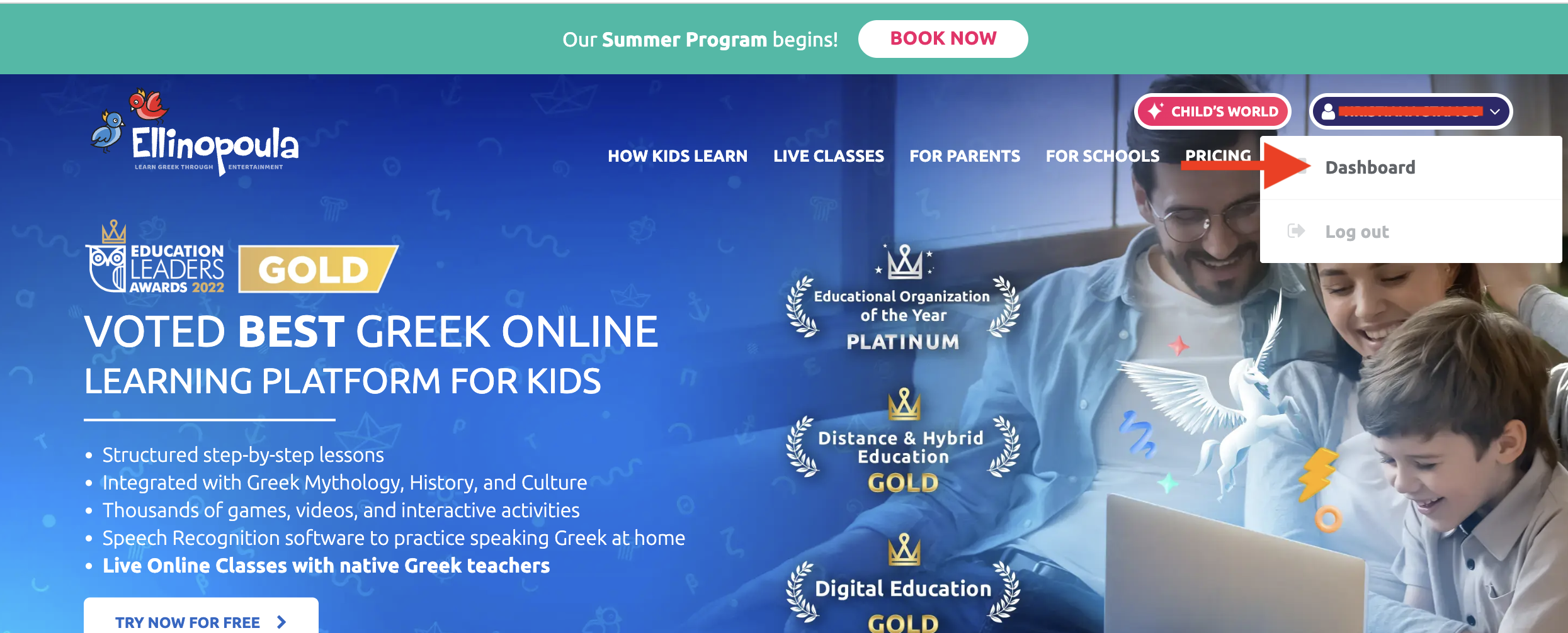
1. First go to the Parent’s Dashboard, after logging in.
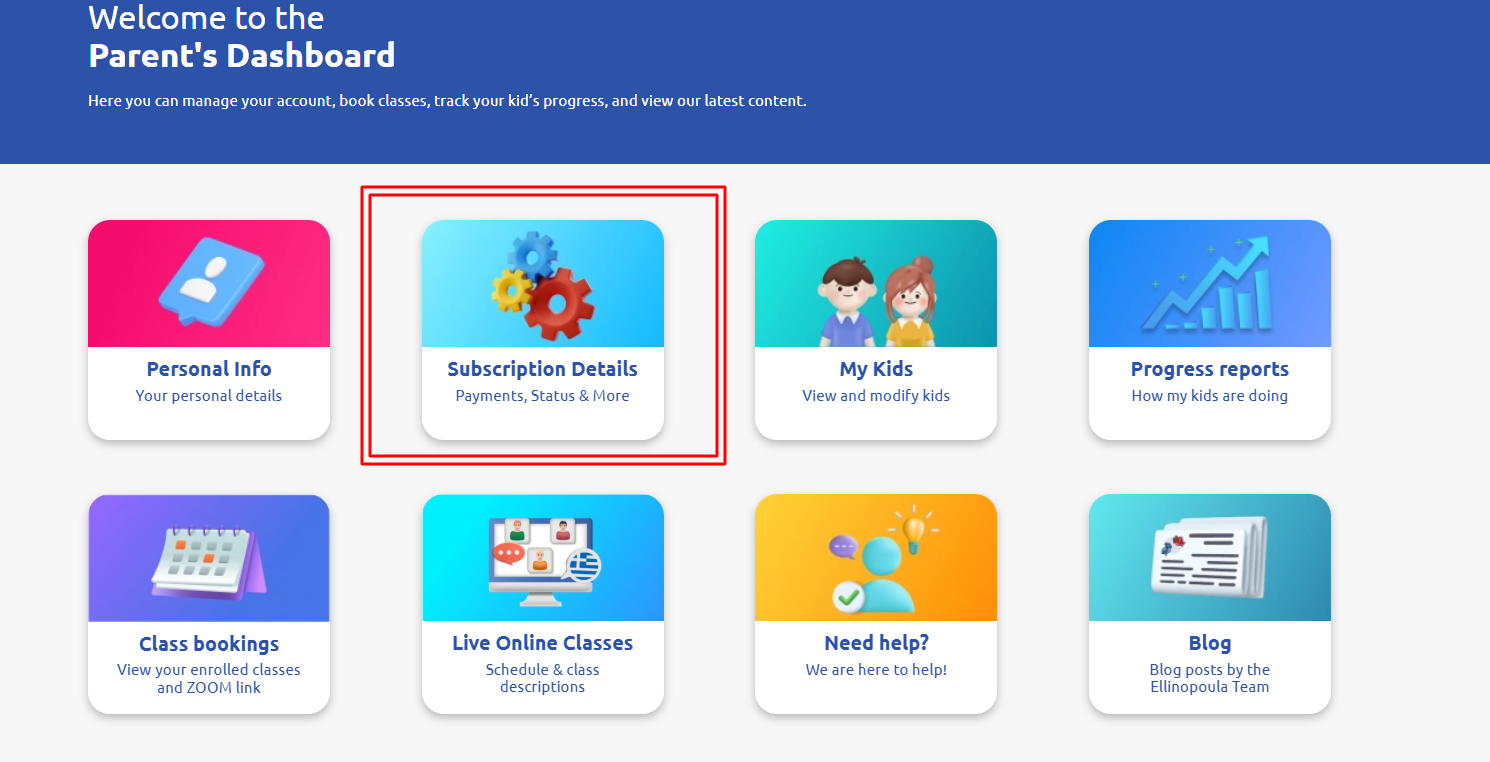
2. Then go to Subscription Details
3. Then click on Cancel my subscription at the bottom of the page.

4. Choose OTHER and confirm.